
Workspace & seats
Manage a shared workspace, invite planner team members, and see every wedding your team manages.
If you run a wedding-planning agency with a team, your workspace brings all of your planners and all of the weddings they manage into one shared view, instead of everyone working from separate accounts.
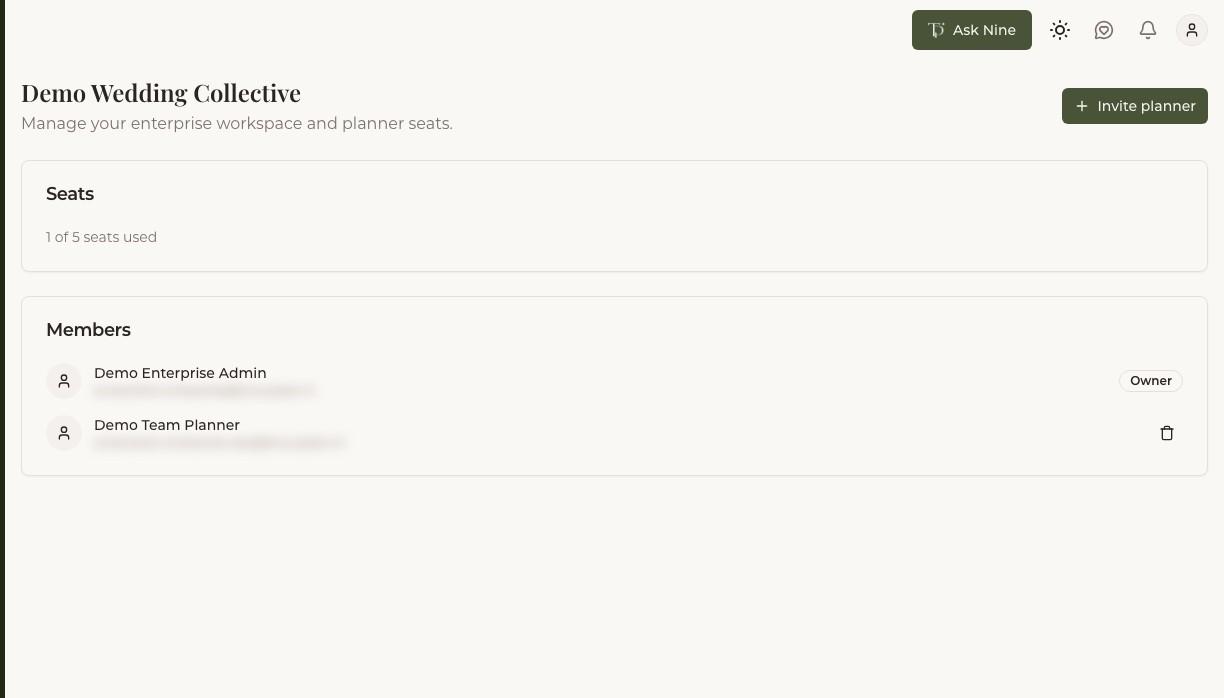
Inviting team members
Invite planners to your workspace by email, using one of your available seats. Once they accept, they can create and manage weddings as part of your team rather than as an individual planner working alone.
Seats
Your plan includes 5 seats at no extra cost, each corresponding to one team member with access to your workspace. Need more? The workspace owner can buy additional seats one at a time for €10/month each, billed alongside the rest of your subscription — from the billing page. Free up a seat by removing a team member; buying and removing seats are independent of each other, so your seat count only changes when you actually buy or free one up.
Seeing all weddings across the team
As a workspace admin, you see every wedding managed by anyone on your team, not just the ones you personally created or were invited to. This gives you visibility across your whole agency's workload without needing every planner to loop you in individually.
Team members' access
Planners on your team manage their own weddings day to day, the same as any individual planner would — your workspace gives you oversight without requiring you to be added to every wedding yourself.