
Seating charts
Plan ceremony seating and dinner seating for your wedding.
Trouwplan has two seating planners — one for the ceremony, one for the reception dinner — both built directly on your guest list, so seating always reflects who's actually attending.
Ceremony seating
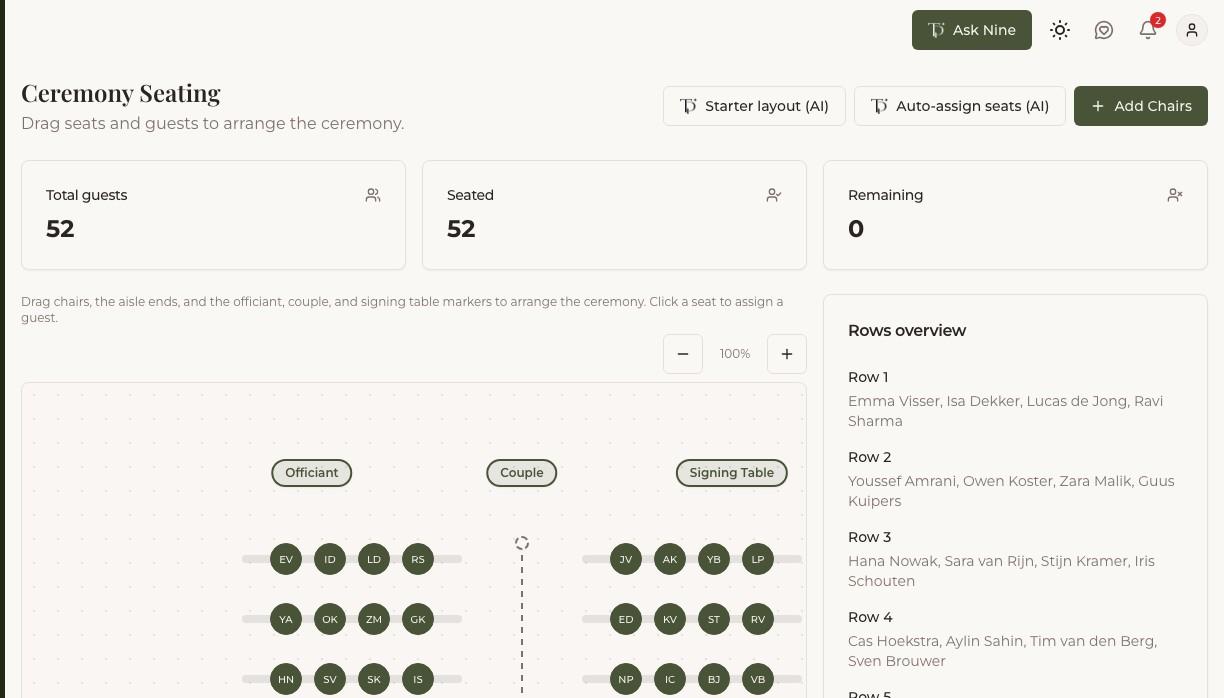
The ceremony seating planner lays out rows of chairs on either side of the aisle. Start from a preset layout sized to your guest count, then fine-tune it by dragging chair blocks, adjusting row counts, or moving the aisle. The couple and officiant are always placed at the front, next to each other, no matter how many rows you add.
Dinner seating
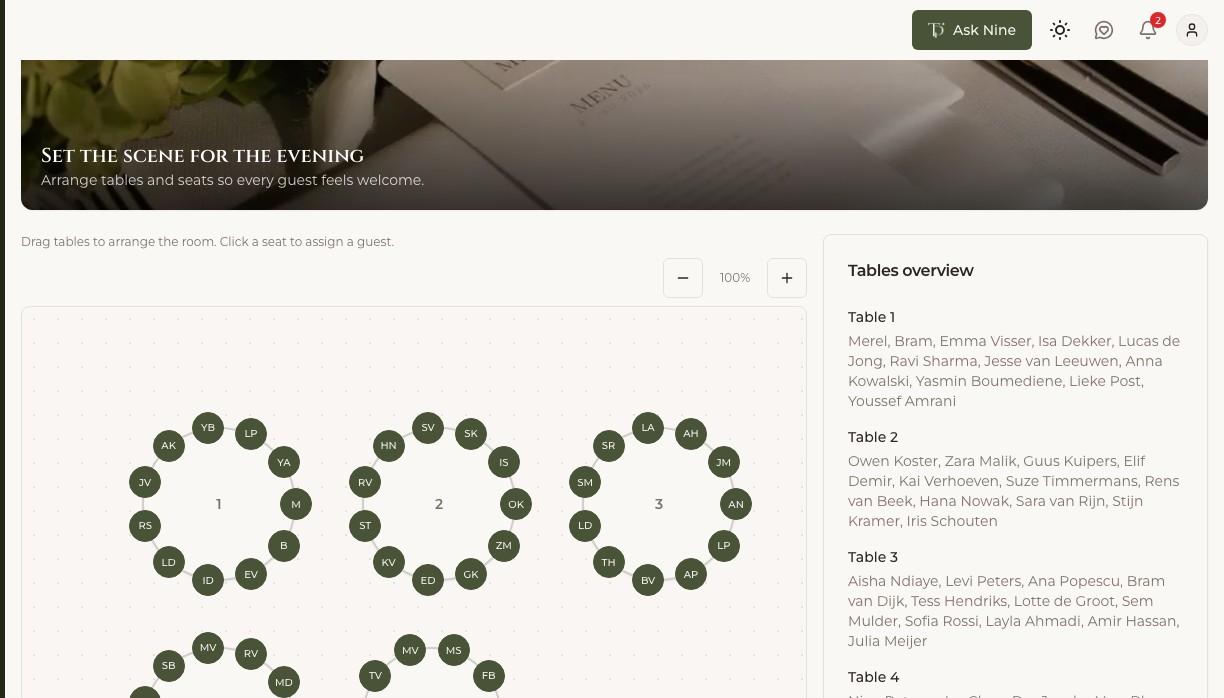
The dinner seating planner works with tables instead of rows — round or rectangular, sized however you like. Use auto-assign to seat guests automatically by priority (the couple and immediate family are placed first), or seat people table by table yourself. If there isn't enough capacity for everyone, Trouwplan tells you before committing any changes, and can add seats automatically so you don't have to redo the layout by hand.
Staying in sync with your guest list
Because seating and the guest list are connected, a change in one shows up in the other. Mark a guest as not attending and their seat opens up; add a new guest and they appear as unseated until you place them.