Notifications & language
Manage your reminder emails and choose your display language.
A couple of small settings that make a difference to your day-to-day experience: whether Trouwplan emails you reminders, and what language everything is shown in.
Reminder emails
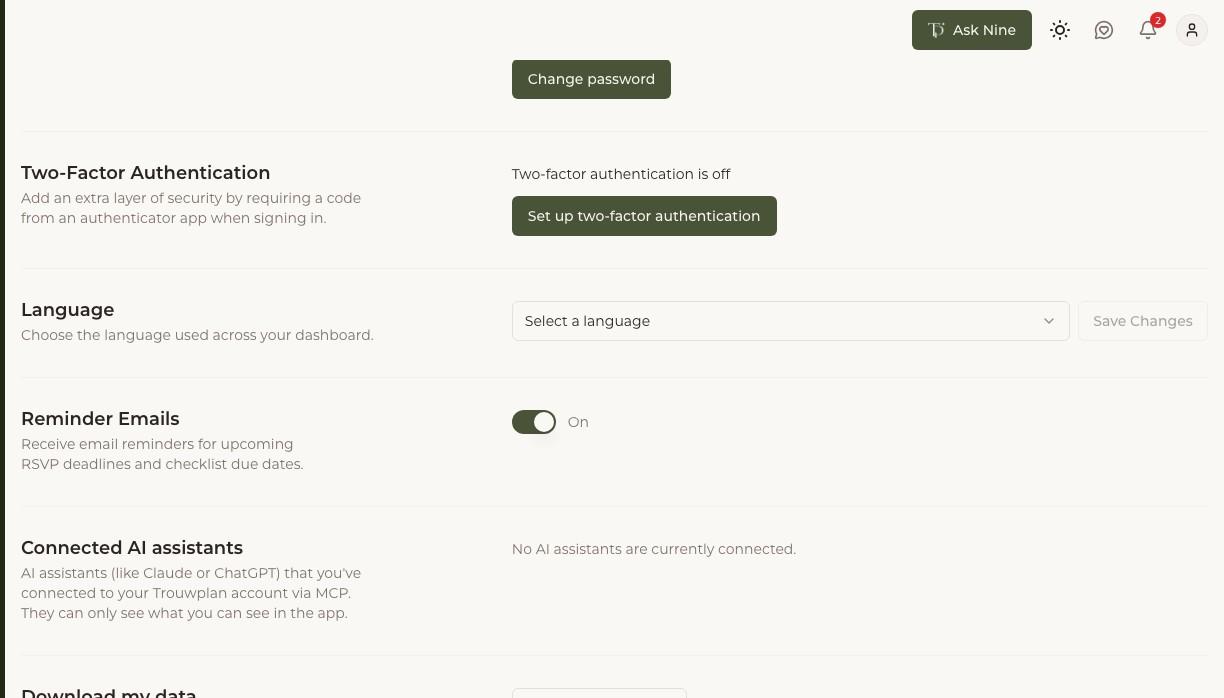
Turn reminder emails on or off from your account settings. When enabled, Trouwplan sends email reminders as an RSVP deadline or a checklist item's due date approaches, so you don't have to keep checking manually for things that need attention.
Language
Choose the language used across your dashboard: English, Nederlands, Deutsch, Français, Türkçe, Polski, or Español. This changes the language of the app interface itself; it doesn't automatically translate content you've entered, like guest names or checklist notes.
Each person on a wedding can set their own language independently — a couple, their planner, and their suppliers don't need to use the same one. Guest-facing pages, like RSVP forms, are shown in whatever language they're set up in, separate from your own dashboard language.